DucoBox local Api-Key generator
The Duco Installation App authenticates to the DucoBox Connectivity Board's
local API with an Api-Key HTTP header. That key is computed on
the device from two values the box exposes — there is no secret
handshake. Enter those two values below to reproduce the key.
http:// are rejected,
so point your client at https://<box-ip>/ (the board uses a
self-signed certificate).
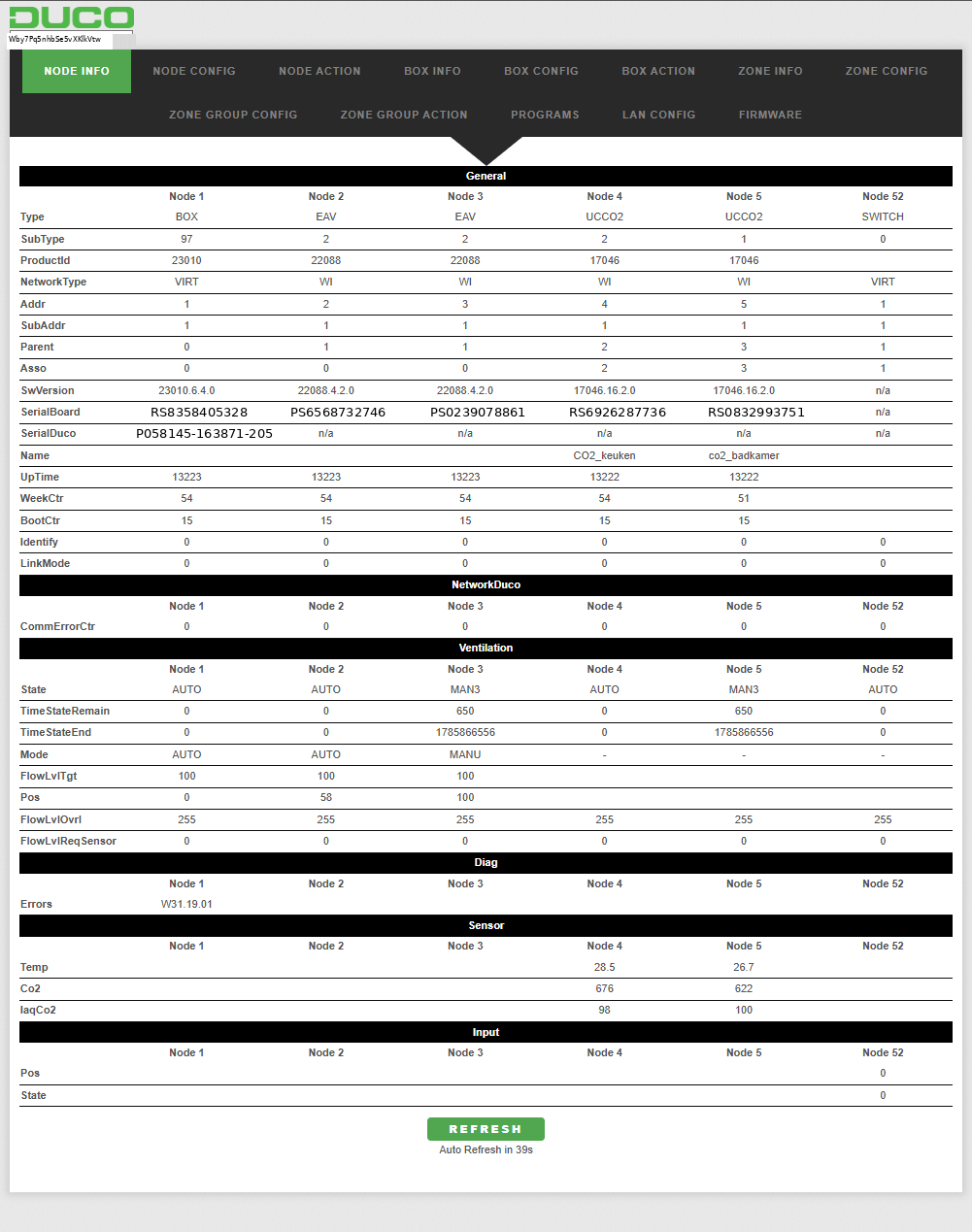
GET /info → General.Board.SerialBoardBox. Shown as "SerialBoard" for the BOX node.GET /info → General.Lan.Mac. Must be lower-case (with colons) for the key to be accepted — this page lower-cases it for you.What the key unlocks
On the board's own web interface you paste this key into the small text box in the top-left corner (next to the DUCO logo). Without it you see only a limited, read-only view. Once a valid key is entered, the interface reveals many more values and enables write actions, such as:
- Reading the full node / box / zone info and configuration trees
- Changing settings (ventilation, calibration, LAN, programs, …)
- Triggering box and node actions
- Updating firmware
How it works (short version)
- Start from a fixed 64-character seed baked into the APK.
- Mix the MAC address into positions
0…len-1and the board serial into positions32…, using a per-character folding function that maps every result back into[0-9 A-Z a-z]. - Shuffle blocks of four characters based on the bits of the current day number
(
localEpochSeconds / 86400) — this makes the key rotate daily.
The box runs the identical algorithm to validate. It is security-through-obscurity, not real cryptography: the seed and the algorithm are both recoverable from the app. Full details and the decompiled bytecode are in the algorithm write-up.
duco_apikey.py
(algorithm only) and duco_apikey_fetch.py (fetches the serial + MAC
from the box automatically and computes the key).
Disclaimer
Independent reverse-engineering of the publicly distributed Duco Installation App, for interoperability and research. Not affiliated with or endorsed by DUCO. Use only on equipment you own or are authorised to access. No warranty.